
Pelvic Health Intake Forms, Outcome Measures & Chart Templates in Embodia
By: Nataliya Zlotnikov MSc, HBSc, Content Writer at Embodia ∙ Estimated reading time: 3 minutes
By: Nataliya Zlotnikov MSc, HBSc, Content Writer at Embodia ∙ Estimated reading time: 3 minutes
Templates Create Efficiency
If you work in pelvic health, you know how much clinical ground a single intake covers. Medical history, symptom detail, bowel and bladder function, pain mapping, consent — and that's before the patient walks in the door.
Generic intake forms don't cut it. Neither does starting from scratch every time you see a new patient presentation, or hunting down a validated outcome measure you know exists somewhere but can't remember where you saved it.
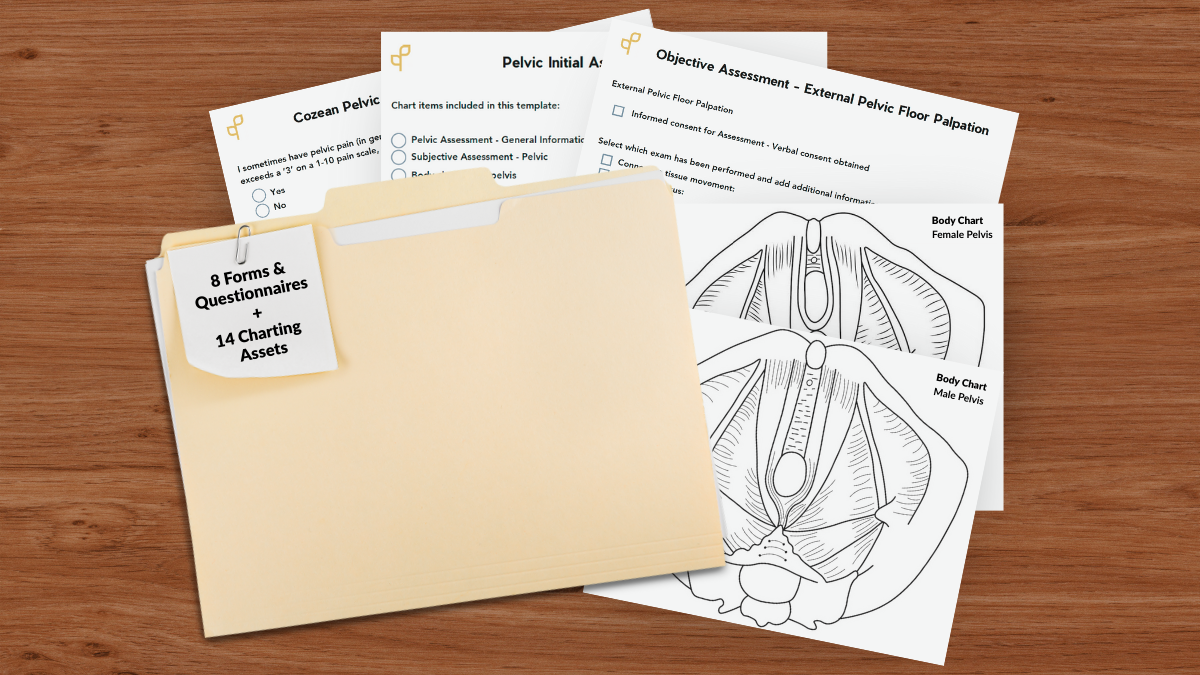
Embodia includes a purpose-built library of pelvic health intake forms, outcome measures, consent forms, and chart templates — all available directly in your account, ready to use as-is or customise for your practice. Here's what's included and how to access it.
What's Included in Embodia's Pelvic Health Template Library
Current Embodia Tier 2 and Tier 3 members, keep reading below to learn how to access these tools from your Embodia dashboard.
Non-Embodia members, you can click the button below to access all of the downloadable templates listed above by subscribing to our email list. In addition to instant download access, we’ll send the full bundle to your email!
Get my free pelvic health pro template bundle now
Embodia's templates are organized across two areas of the platform: questionnaires (which cover intake forms, outcome measures, and consent forms) and charting (which covers chart templates and chart items). Here's the full list of what's available specifically for pelvic health practice.
Pelvic health questionnaire templates — intake forms & outcome measures:
- Cozean Pelvic Dysfunction Screening Protocol
- Depression Anxiety Stress Scales (DASS 21)
- Fear-Avoidance Beliefs Questionnaire (FABQ)
- Tampa Scale for Kinesiophobia
- The Central Sensitization Inventory (CSI)
- Pelvic Health Symptom Monitor
- Pelvic Health Screening (PHS)
- Pelvic Health Patient History Intake Form
Pelvic health chart template:
- Pelvic Initial Assessment Template
Pelvic health chart items:
- Body chart: Female pelvis
- Body chart: Male pelvis
- Education - Pelvic Physio
- Medical History - Pelvic Assessment
- Objective Assessment - External Pelvic Floor Muscle Exam
- Objective Assessment - External Pelvic Floor Palpation
- Objective Assessment - Functional Tests
- Objective Assessment - Internal Rectal Exam
- Objective Assessment - Internal Vaginal/Pelvic Floor Exam
- Objective Assessment - Palpation (Pelvic Ax)
- Pelvic Assessment - General Information
- Subjective Assessment - Pelvic
- Treatment - Pelvic Physio
New templates are added over time. Check your Embodia account for the latest additions.
Why Having the Right Templates Matters in Pelvic Health Practice
Pelvic health is one of the most intake-intensive areas in rehabilitation. A thorough initial assessment requires detailed symptom history, pain mapping, functional information, and often sensitive personal history — all of which needs to be collected consistently, documented accurately, and reviewed before the appointment begins.
Validated outcome measures like the Pelvic Health Screening, Fear-Avoidance Beliefs Questionnaire, and Central Sensitization Inventory aren't just useful clinically — they support evidence-based practice, insurance documentation, and tracking patient progress over time. But finding, formatting, and maintaining these forms outside of your practice management system creates unnecessary work.
Having these tools built directly into your digital intake forms and questionnaires platform means your intake workflow is consistent, your outcome data is stored where you need it, and your documentation reflects the complexity of your clinical work — without the administrative overhead.
How to Access Pelvic Health Questionnaire Templates in Embodia
From your Embodia dashboard, follow these steps:
1. Accessing questionnaires for Embodia Tier 2 and 3 members
To access questionnaires, from your Embodia dashboard, click on HEP and Questionnaires. To use one of our templates listed above, scroll to the bottom and click Browse available templates. Click on any of the questionnaires listed (outcome measures, intake forms, consent forms) to customize to your clinic's preferences.
In brief: HEP > Questionnaires > Browse available templates > Create a questionnaire from this template
You can learn more about this process in our help article, Creating questionnaires form a template.
2. Accessing chart templates for Embodia Tier 2 and 3 members
Accessing charting templates is just as easy! Click on Charting, then click on the Templates tab. At the bottom you will see, Browse pre-built templates. Here, you will see the ‘Pelvic Initial Assessment Template’, Click on it to create a chart template from this template.
In brief: Charting > Templates tab > Browse pre-built templates > 'Pelvic Initial Assessment Template’ > Create a chart template from this template
You can learn more about this process in our help article, Using pre-built charting templates.
3. Accessing chart items for Embodia Tier 2 and 3 members
To access the chart items available on Embodia, click on Charting, then Charting settings (choose 'For the clinic account' or 'For my personal account*). In the Chart items tab, scroll to the bottom and click, Browse pre-built chart items.
In brief: Charting > Charting settings > Browse pre-built chart items
You can learn more about this process in our help article, Using pre-built chart items.
*Note: When choosing between 'For the clinic account' or 'For my personal account' we recommend creating all items under 'For the clinic account', this way, other practitioners in your clinic (or future practitioners, if your clinic grows) may also have access to them. Anything created under 'For my personal account' will remain private to you
Want to see it in action?
Book a quick demo and we'll walk you through the pelvic health template library, intake form automation, and how Embodia's charting tools are used by pelvic floor clinics across North America.
.
Book a Demo
or
Learn about Embodia Memberships
Missing a Template you Rely on?
Embodia's template library is built with input from the clinical community — and it keeps growing. If there's a questionnaire or chart item you use regularly that isn't in the library yet, we'd like to know about it.
Reach out to the Embodia team at support@embodiaapp.com and let us know what you need. The more specific, the better — if you're using a validated outcome measure that isn't listed, share the name and we'll look into adding it.
Related Resources
---
Date published: 15 March 2024
Last update: 03 June 2026

Embodia is an all-in-one practice management system that lets clinicians and clinic owners power their practice all from one platform.
We are on a mission to transform the way healthcare is delivered by empowering clinicians with the tools, technology, and education to deliver data-driven care, and empower clinics and clinic owners to maximize their success.
Embodia offers an unmatched breadth and depth of services including recorded and live online courses, HEP, telerehab, billing, charting, reporting, scheduling, two-way messaging, and more.
We are committed to building new solutions for an antiquated healthcare system and to helping physiotherapists and rehab pros globally redefine themselves and their expertise in a changing world.